






How to Upload Competition Advertising
Organisers can upload sponsor advertisements to their DanceSportLive magazine via their DSA Organiser Competition Portal.
These adverts appear as dyanmic links which viewers can click and visit the sponsors websites.
........
Here are step by step instuctions on how to upload adverts.
1. Login to your DSA Organiser portal and select the competition.
2. Click on the DanceSportLive link.
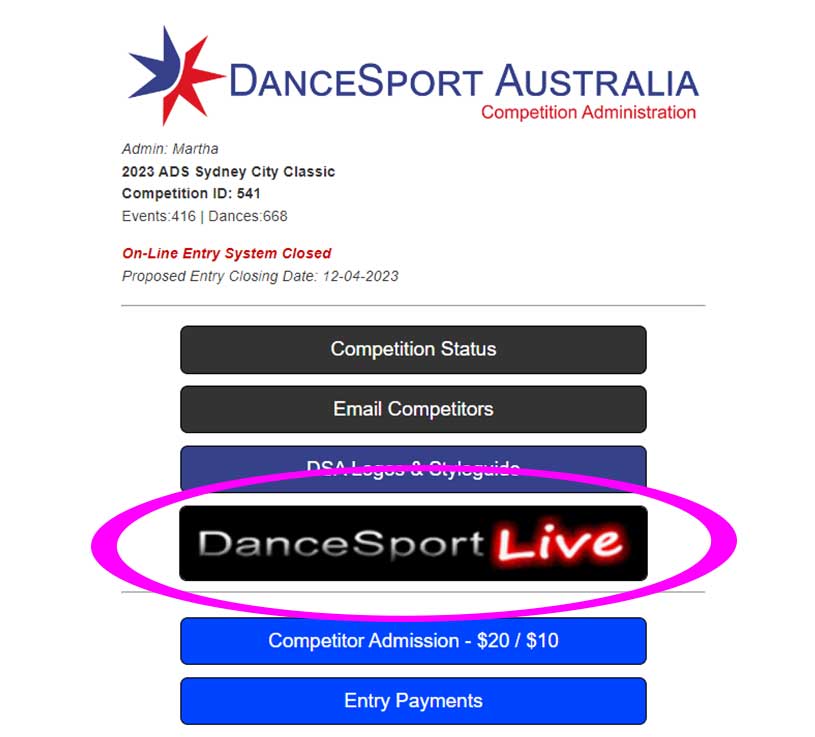
3. Select DanceSportLive Advertising
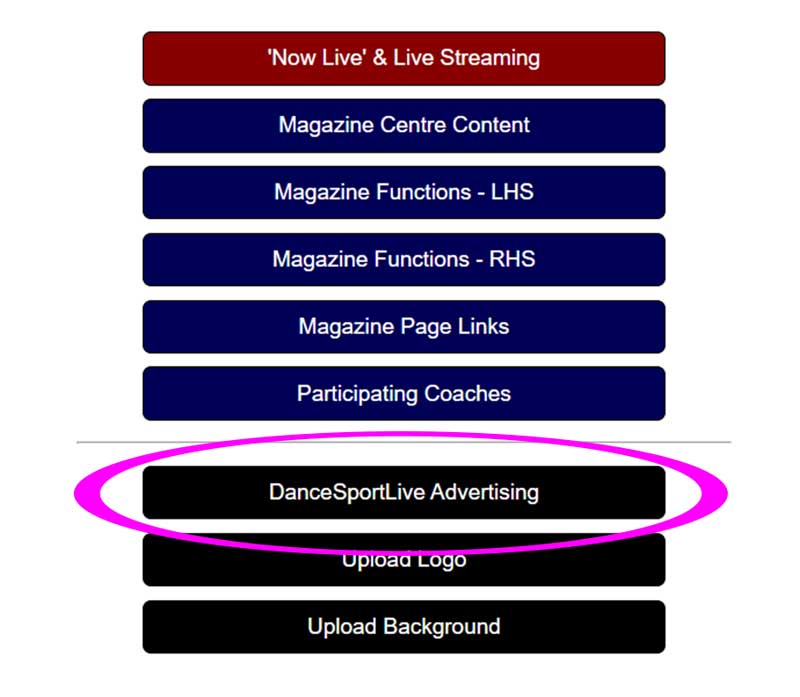
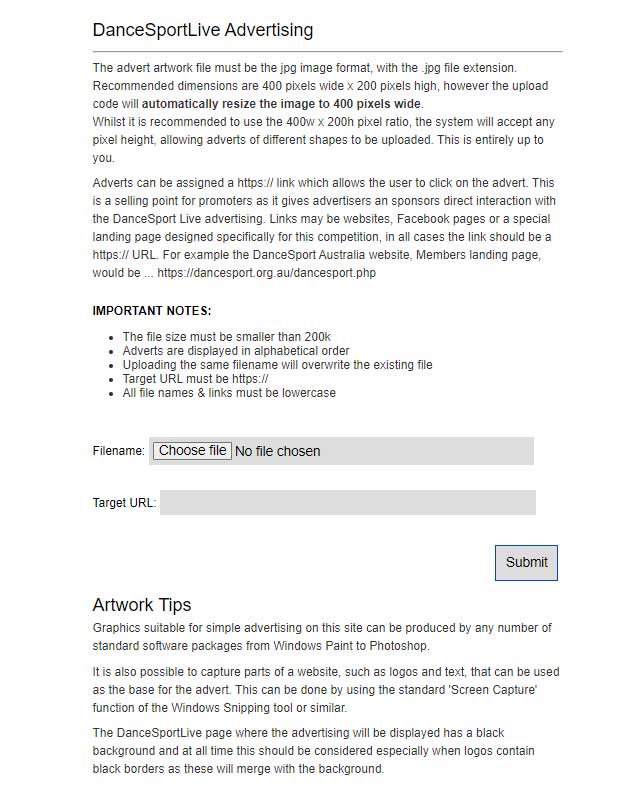
4. Read the information given for Advert images and Artwork Tips.
5. Upload image and Target URL information.
To upload an image, click the Choose file and navigate to your image on your computer.

Then add the Target URL of your advertiser. In other words, add the web address for the website of your advertiser.
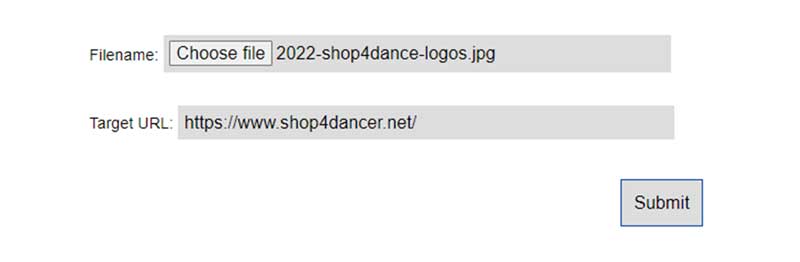
6. Press Submit and the uploaded information will be dispalyed.
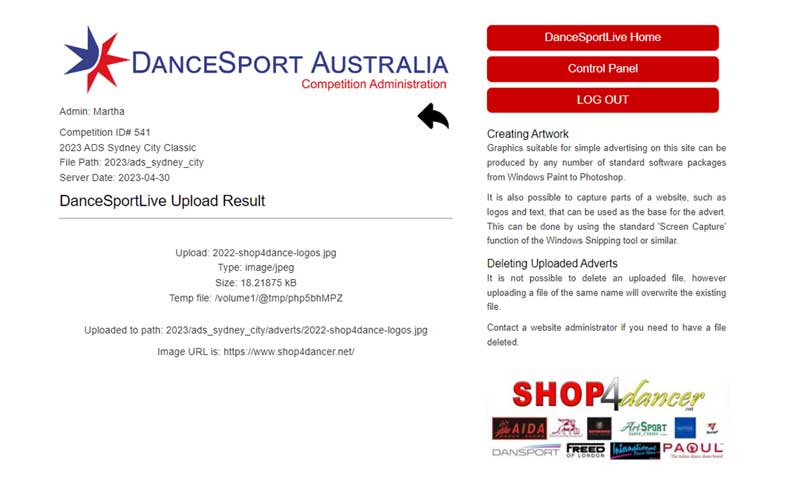
7. Press the back arrow and continue adding advertisements as required.
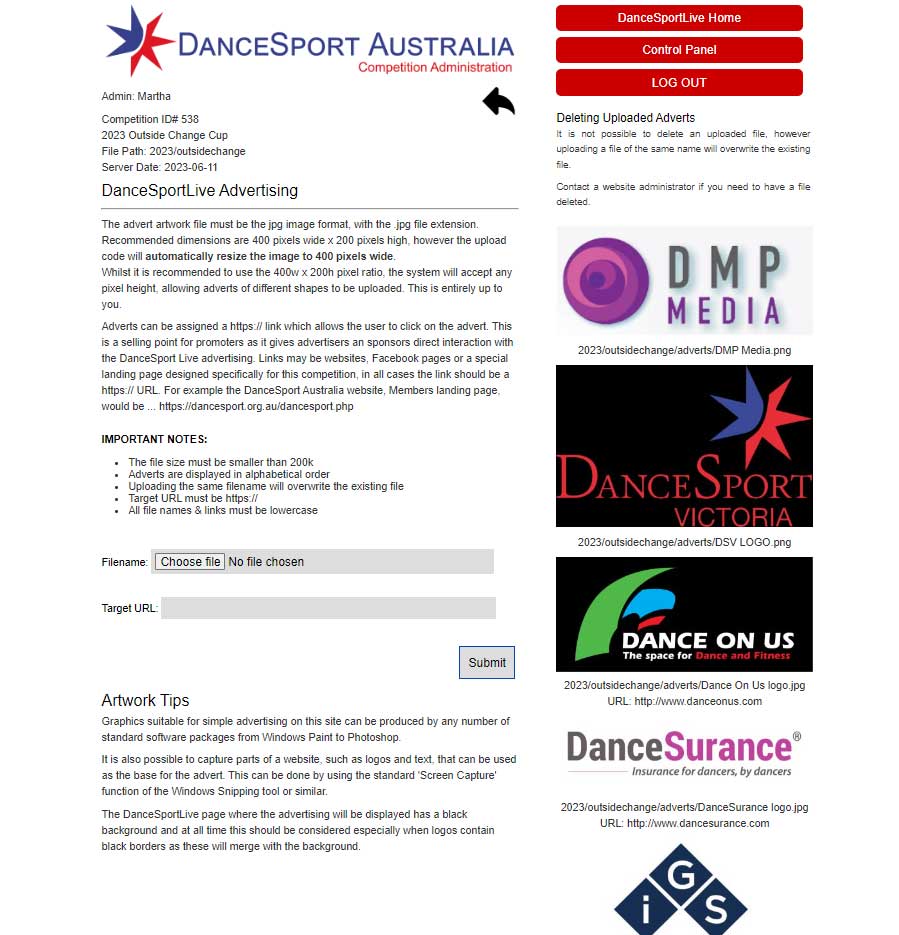
8. Made a mistake?
It is not possible to delete an uploaded file, however, uploading a file of the same name will overwrite the existing file.
If you need a file deleted, please contact the website administrator.
For further assistance please contact Events Administation.
Email: events@dancesport.org.au